Last week, I wrote that it finally might be time for the regular person, the non-tech bro, the daily ChatGPT / Claude user to start testing out local & fully private AI models on their own machines. In this post, I’ll walk you through an easy process to get something running quick, and for you to be able to try out if this is worth it yet for your use cases.
You won't get the "it just works" polish of ChatGPT, but you get something more valuable: a free, private model that does exactly what you tell it to. The earlier issues was that laptop-sized models used to be terrible. Gemma 4 (from Google) and Qwen 3.6 (from Alibaba) models have fixed that.
So let’s get started and get you running with your own AI on your own machine. Hopefully this should take less than 15 mins.
TL;DR
Install LM Studio, download a small model (Gemma 4B or Qwen 9B for 16GB RAM), and start chatting locally in under 15 minutes
Try it on real tasks you already do with ChatGPT: summarizing notes, rewriting emails, or analyzing private files
Optional next step: connect LM Studio to a coding agent like Pi or OpenCode for local agentic coding
1) Install LM Studio
Download LM Studio. It works on Mac, Windows, and Linux. Install it like any normal app.
LM Studio is basically a friendly control panel for local AI models. It lets you search for models, download them, chat with them, and run them on your laptop without needing to understand all the plumbing underneath. If you’re interested, read about llama.cpp, MLX, GGUF etc.
2) Download a model
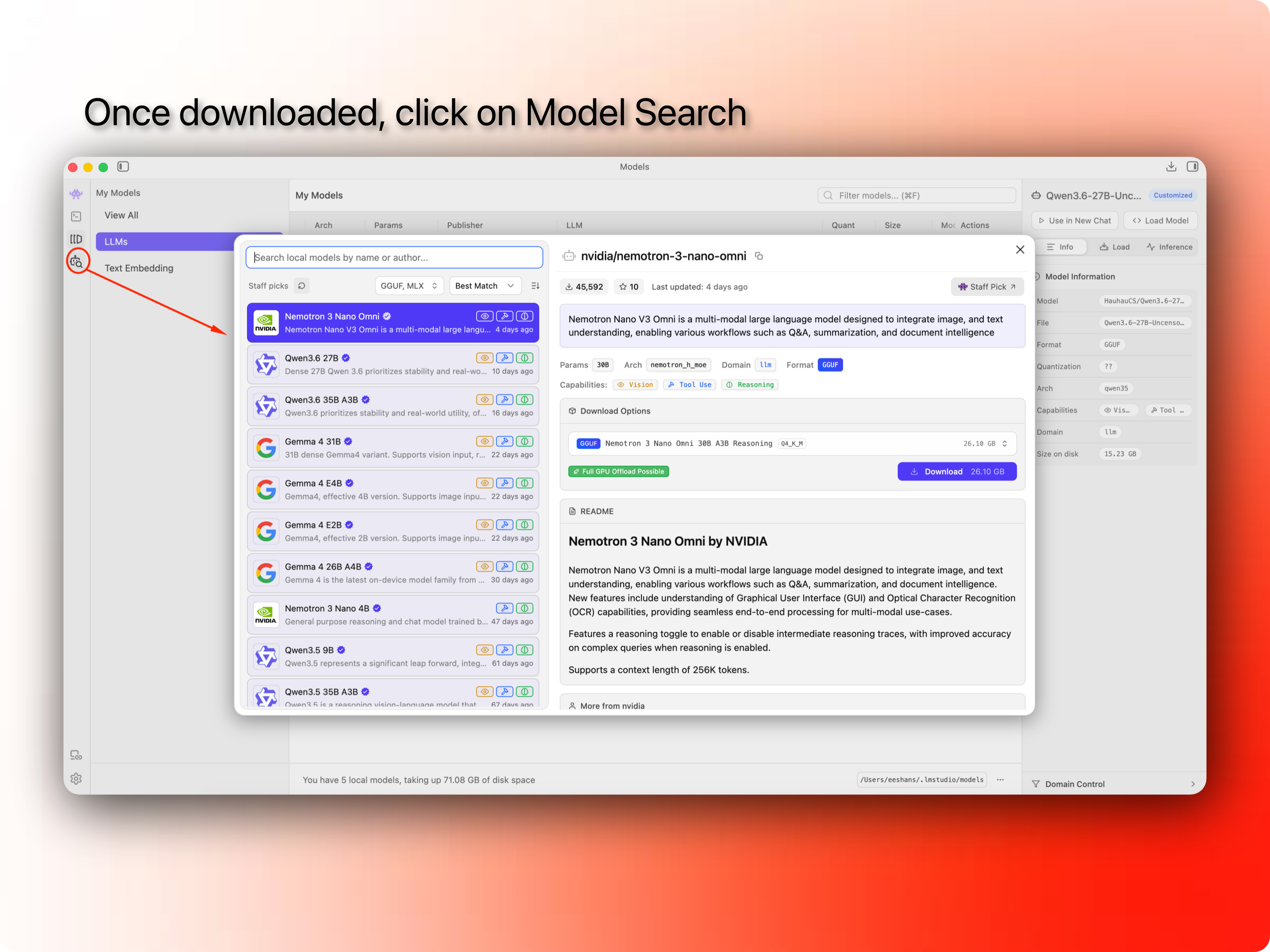
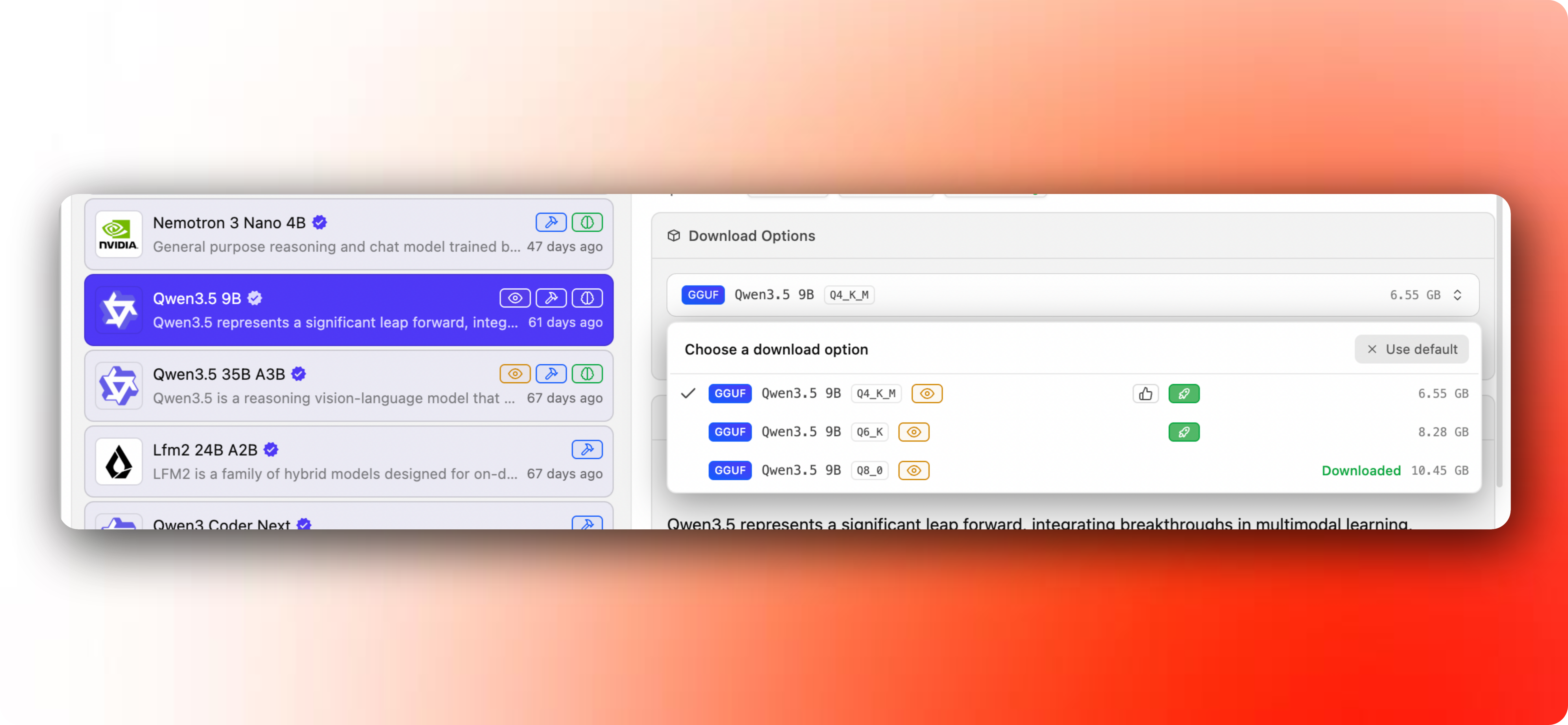
Open LM Studio and click on the model search icon. It’ll open a window with a list of “staff picks”, usually the most popular models that were recently released. Here you can search for any model available on model registries like Models – Hugging Face, where AI labs as well as indie developers publish variations of the open source models. Here you can find highly optimized versions of the same model or variants fine tuned for different use cases. But we’ll keep it simple for now.
My rough recommendation on what model to download based on common laptop RAM configs:
16 GB RAM → Gemma 4 E4B or Qwen 3.5 9B → For basic use cases like summarization, planning, web research etc. Not good for coding.
32 GB RAM → Gemma 4 26B A4B or Qwen 3.6 35B A3B → These models unlock pretty solid coding abilities. Either of these could be your daily drivers.
48 GB+ RAM → Gemma 4 31B or Qwen 3.6 27B → Even better coding abilities, comparable to Sonnet 4.5 (one of the first capable agentic coding models).
Do not get stuck on model variants on day one. Local AI people love arguing about quantization, GGUF files, Q4 vs Q8, context length, and every tiny benchmark. We’ll get into that rabbit hole in a later post.
Simple rule:
If the model is too slow or eats up most of your RAM, use a smaller one. If the model feels too weak or dumb, try a bigger one.
Download the model. This can take a while because the files are large.
3) Run it locally
Once the model is downloaded, open the chat area in LM Studio, select the model, and load it.
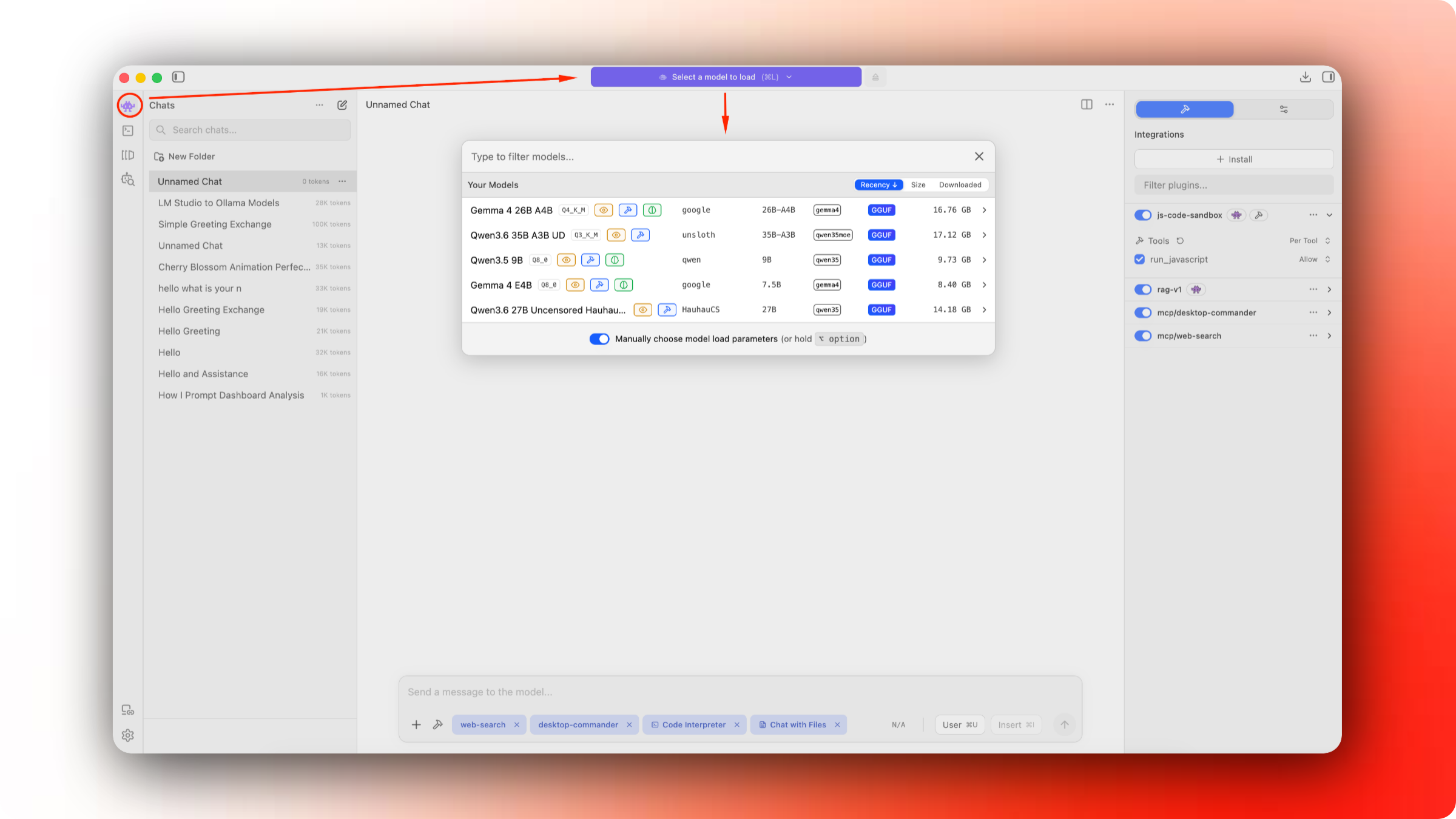
When you choose the model, it’ll open a popup with tons of settings. We can get into details in later posts, but for now, pay attention to the context length, and how your memory usage changes. The smaller the context length, the less memory you’ll need, but that will also mean you’ll be limited to shorter conversations and tasks.
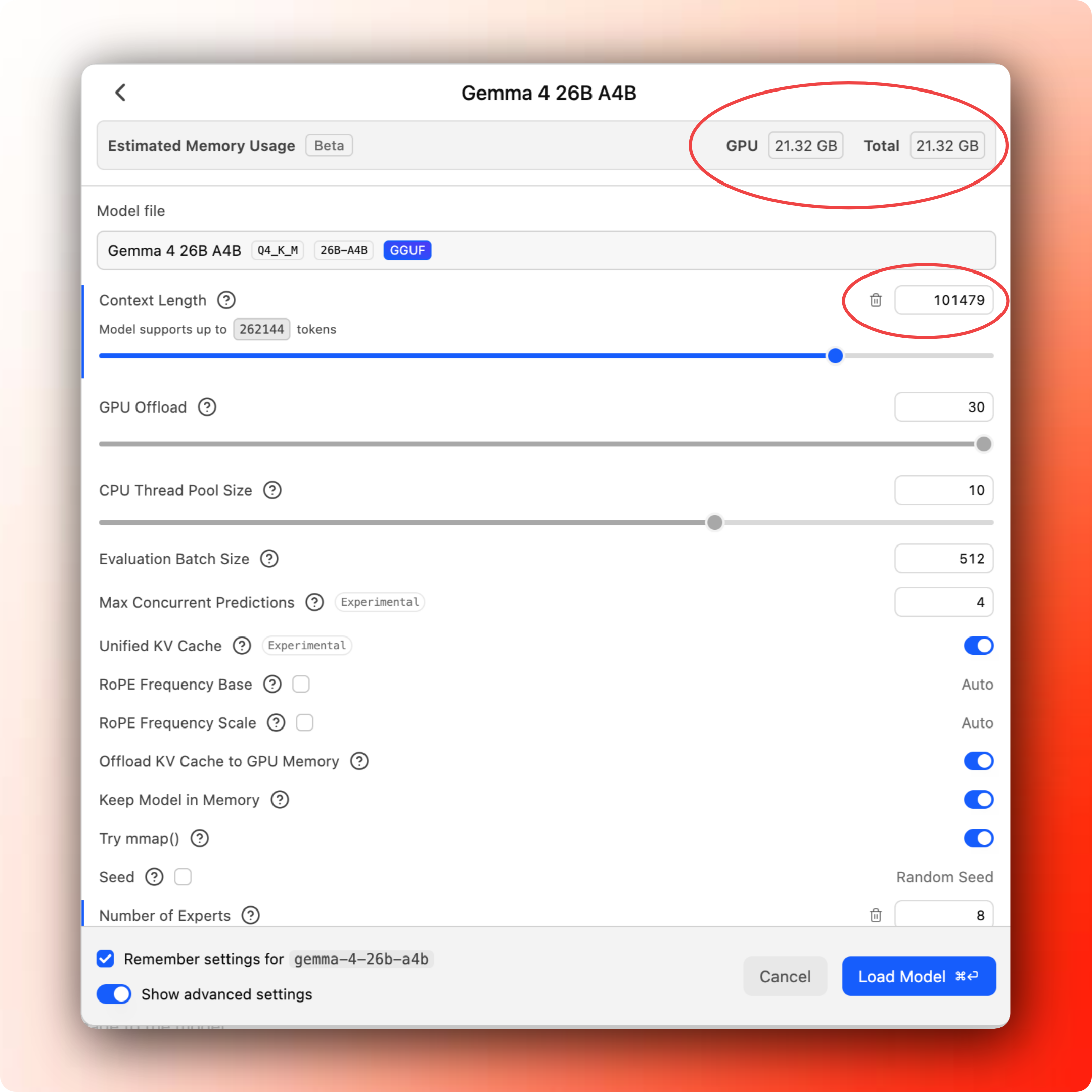
Once the model is loaded, ask something simple to test it out:
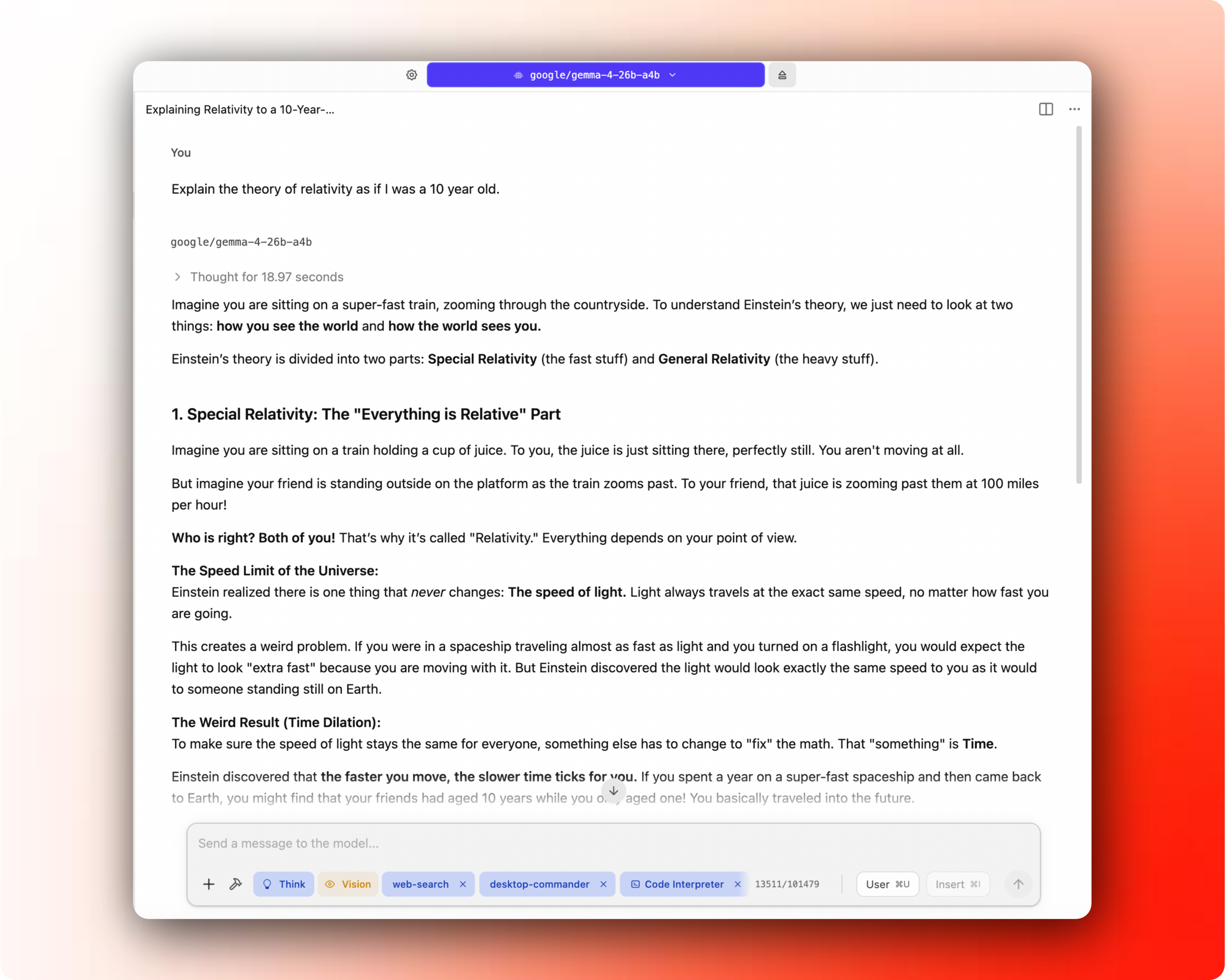
If you get an answer, that’s the first win. You are running an AI model on your laptop. The model is not sitting inside OpenAI, Anthropic, or Google’s servers. It is a file on your machine, and your laptop is doing all the work.
4) Try a small task that you would usually use ChatGPT for
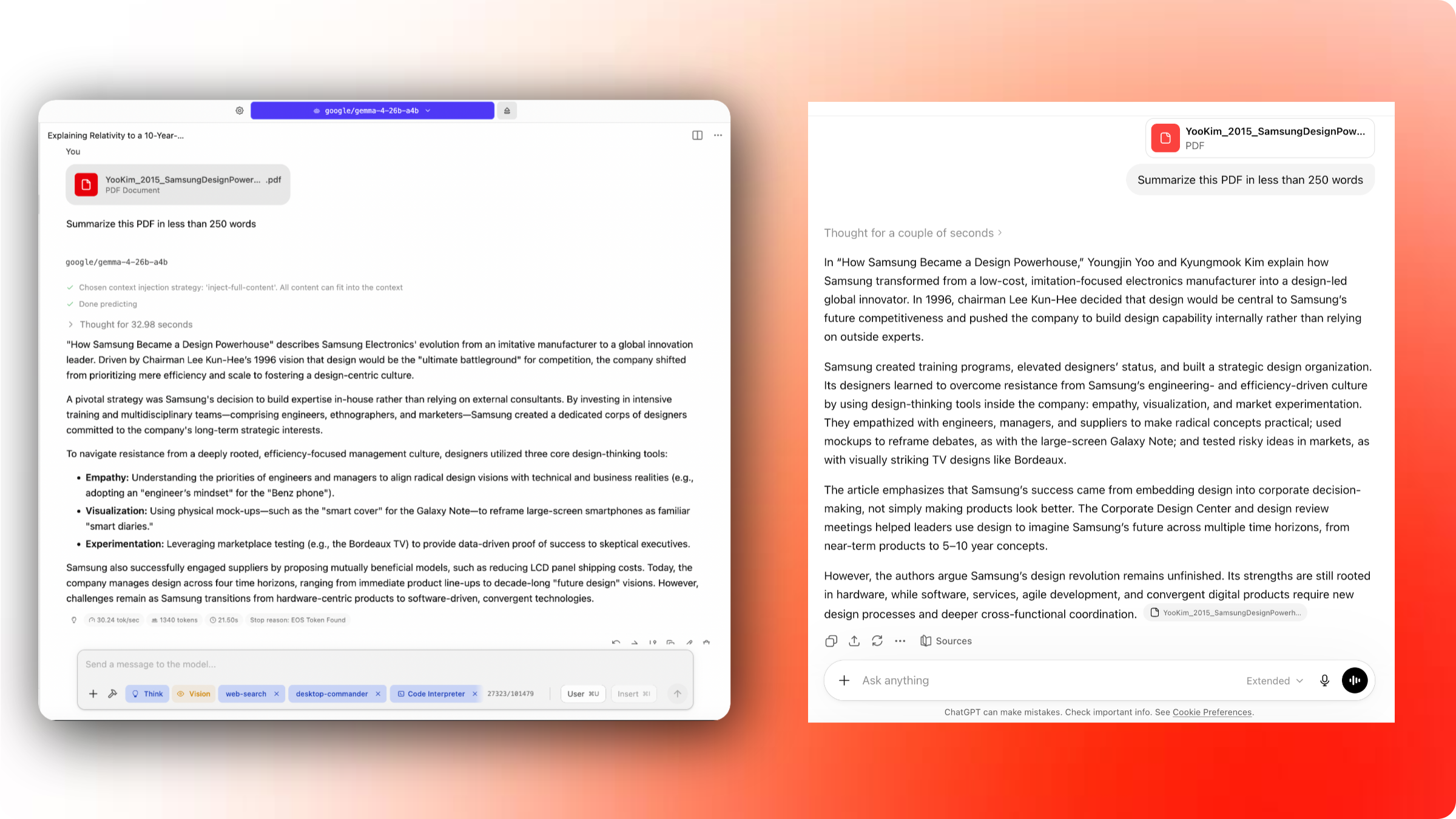
Often, I want to summarize a file or PDF or email or something similar. You can do that pretty easily within LM Studio itself. Click on the “+” icon at the bottom left of the chat box, and select “file”.
For my test, I dusted off an old case study PDF from my MBA program and asked Gemma 4 26B A4B to summarize it under 250 words. I gave the same task to ChatGPT as well, and as you can see, my local model did pretty well (I actually liked the response better).
5) Run a tiny benchmark (a harder task)
Now benchmarks are an area that I have a lot of opinions on. On one hand, benchmarks are scientifically rigorous measures for AI model performance across various types of tasks, and on the other hand, they are used purely as a marketing tool from companies trying to show that their model is better than the other company’s model.
One of the more fun ways to test a model’s ability is to give a harder task where you can visually assess the “quality” of the output. Credit to @leftcurvedev_ on X for giving me the inspiration looking at their visual prompts for testing local models.
The one I came up with is a solar system animation. It is a nice practical test because it checks whether the model can follow detailed instructions, write code, make visual tradeoffs, and improve the results by self-assessing its work.
Here’s the prompt I gave to Qwen 3.6 35B A3B:
Build an HTML animation of the solar system with the Sun at the center and all planets orbiting around it. Make the scene as realistic as practical while keeping all planets visible: the Sun should glow clearly but must not be so large that it hides or overwhelms Mercury, Venus, Earth, or Mars. Preserve the relative scale of orbital distances, use accurate orbital shapes, realistic planet colors, and visible rings where appropriate. Show the system from roughly a 30-degree viewing angle rather than directly overhead. Include as many realistic visual details as possible while keeping the animation smooth. Use the most efficient complete approach, then use Playwright screenshots to see the output yourself, check for errors, review and adjust the output until it looks correct.
Build everything in a new folder under `/tmp/solar-system/qwen3.6-35b-a3b`.
And this is what I got after the model thought, worked and struggled for about 10-15 mins.
It’s pretty cool. Share your solar system with me if you get it to work!
I repeated this for a lot of different local and cloud models and got very interesting and at times hilarious results. I’ll share it in the next post with more details on how you could run repeated benchmarks to see how close you are to having these models be useful for you.
6) What’s next: agentic coding with local models
If you code, or if you’ve built an app or a project with AI using tools like Claude Code or Replit or Lovable, then you’ll want to take the time to try this step. You can do some coding within LM Studio itself, but it’s not built for it, and you probably won’t be able to get the most out of local models through the LM Studio app, especially when you’re low on RAM anyway.
LM Studio can be connected to a specialized agentic coding tool like Pi or OpenCode. That gives you a workflow closer to Claude Code or Codex, except the model is running locally.
OpenCode is a fantastic agentic coding app (probably much better than Claude Code, Codex, or Copilot apps, but built for coding only). My daily driver is Pi, but it’s quite minimal and requires a lot more custom configuration which might not be the easiest for everyone.
I might write a separate post on this, since connecting LM Studio to OpenCode is a little more involved. You’ll have to start the server mode in LM Studio, and then add that model’s configuration to point to OpenCode. More details here — Providers | OpenCode. This is where the “it just works” power of the frontier models like Claude or GPT is hard to beat with the local model tech stack, for now.
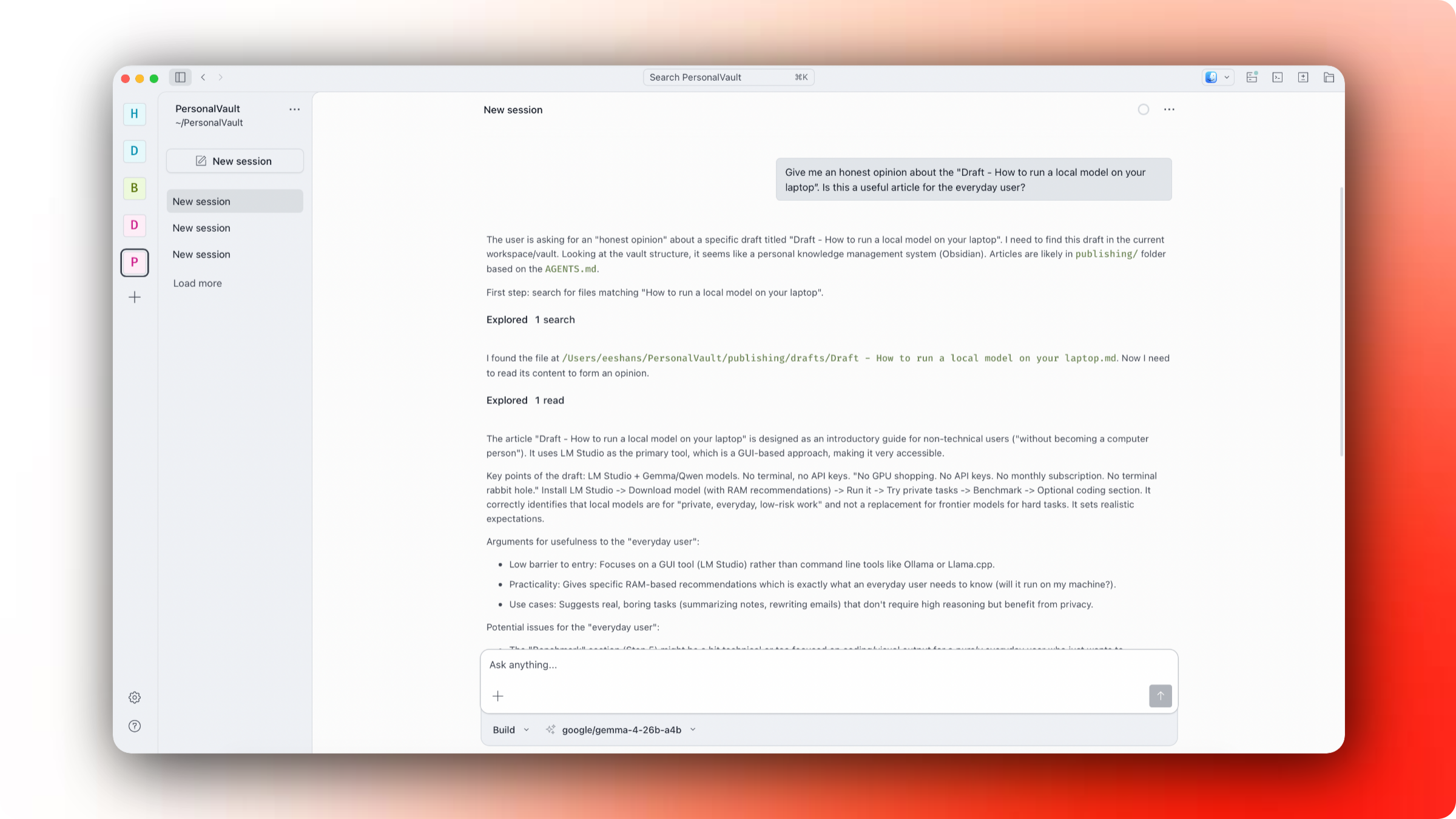
Here’s an example of my Gemma 4 26B A4B running through LM Studio server within OpenCode (this is a mouthful):
Summary
Working with AI is inherently subjective. Same prompt can give a different result. The only benchmark that matters is whether a model’s output has clear value to you. Start with chat and smaller tasks on whatever hardware you have, then push into harder tasks as you get comfortable. New models are dropping fast. Ignore the marketing noise and run your own tests. The tradeoff is worth it.